Key takeaways
- Way 1, native YouTube polls: students tap an answer; best for quick checks.
- Way 2, chat quiz (Fastest Finger First): students type A/B/C/D in chat, the fastest correct answers win; best for revision and competition.
- Way 3, link-based tools (Kahoot, Google Forms): students leave YouTube to answer; best for homework or very small groups.
- Live chat must be on and the stream must not be marked "made for kids", or no quiz will work.
A live quiz is the fastest way to turn a quiet stream into a busy chat. Viewers stay longer, the chat fills up, and you find out instantly what your audience knows. YouTube gives you a few ways to do it, from a single native poll to a full game-show round with a leaderboard. Here are the three that work, and when to use each.
Before you start: two settings that break quizzes
- Live chat must be on. Check it in the stream settings in YouTube Studio.
- Don't mark the stream "made for kids" unless you have to. YouTube switches off live chat on made-for-kids streams, and without chat there are no polls or chat quizzes. School content aimed at teenagers and adults is usually not "made for kids", but follow YouTube's guidance for your audience.
Way 1: Native YouTube polls
The channel owner can post a poll in live chat. Viewers tap one of 2 to 4 options and see the percentages.
- Good for: quick concept checks, opinions, "which topic next?".
- Limits: question up to 100 characters, options up to 35 characters each. Put long MCQs on your slide and use the poll for "Q7: A / B / C / D".
- Faster way: publish polls from your phone with Polls Patamde, with a timer that closes the poll automatically, or let the Auto Poll Sender post a whole quiz set for you. Step-by-step guide.
Way 2: A chat quiz (Fastest Finger First)
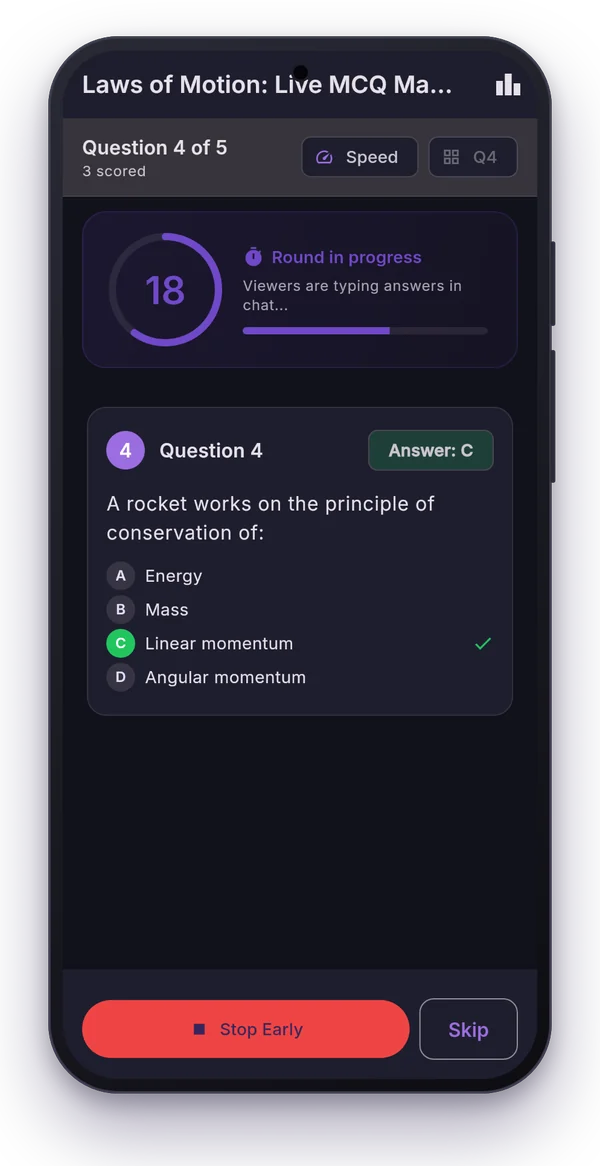
This is the game-show version. You ask a question, viewers type their answer letter in chat, and the fastest correct viewers win. It's the format exam-prep channels use for revision marathons, because it rewards speed and accuracy together.
Running it by hand means scrolling the chat and guessing who was first. A tool does it properly:
- Open the FFF tab in Polls Patamde and pick your stream.
- Choose a timer (15 to 60 seconds), the scoring (Simple, or Speed-based from 10 points down to 1) and when to announce winners.
- Start the round. The app posts a start message, reads every chat answer and counts only each viewer's first one.
- When time is up, mark the correct option. Winners are posted in chat and the leaderboard updates.
Answers are ranked by the time YouTube received them, so everyone has the same stream delay and the ranking is fair. Full FFF guide.
Way 3: Link-based quiz tools
Kahoot, Mentimeter, Slido or a Google Form: you pin a link or PIN in chat, viewers open it and answer there.
- Good for: graded homework tests (Google Forms collects names and marks), or small groups that also see your screen live.
- Downsides on YouTube: viewers leave the stream to answer, many don't return, and the stream delay eats into the other tool's timers. Why this happens.
A 30-minute quiz format that works
- 0:00 Welcome and rules: "type only the letter, first answer counts".
- 0:03 Warm-up poll (easy question, everyone gets it right).
- 0:05 to 0:25 15 to 20 FFF questions, 30 seconds each, explain each answer briefly.
- Every 5 questions show the leaderboard.
- 0:25 Final top 3 announced in chat, screenshot for your community post.
- 0:28 Tell them when the next quiz is and ask them to set a reminder.
Where do the questions come from?
You don't have to type them. Upload a question bank PDF and the MCQ Library using AI pulls out questions, options and answers, even from Hindi and bilingual papers. For FFF you only need the answer key: give the app a photo of it and AI reads the correct options.
Ready to run your first quiz? Start the 7-day free trial.
Frequently asked questions
Can I do a quiz on YouTube Live for free?
Yes. YouTube's built-in live polls are free; you type and end each one by hand. Polls Patamde has a 7-day free trial if you want timers, quiz sets and chat quizzes with winners.
How do viewers answer a YouTube live quiz?
Either by tapping an option in a native YouTube poll, or by typing the letter A, B, C or D in the live chat during a Fastest Finger First round.
Why is live chat missing on my stream?
Live chat is turned off for streams set as made for kids, and it can be switched off in the stream settings. Polls and chat quizzes need live chat to be on.
How long should each quiz question be open?
15 to 30 seconds for recall questions and 45 to 60 seconds for calculations. Remember viewers see the stream a few seconds after you.