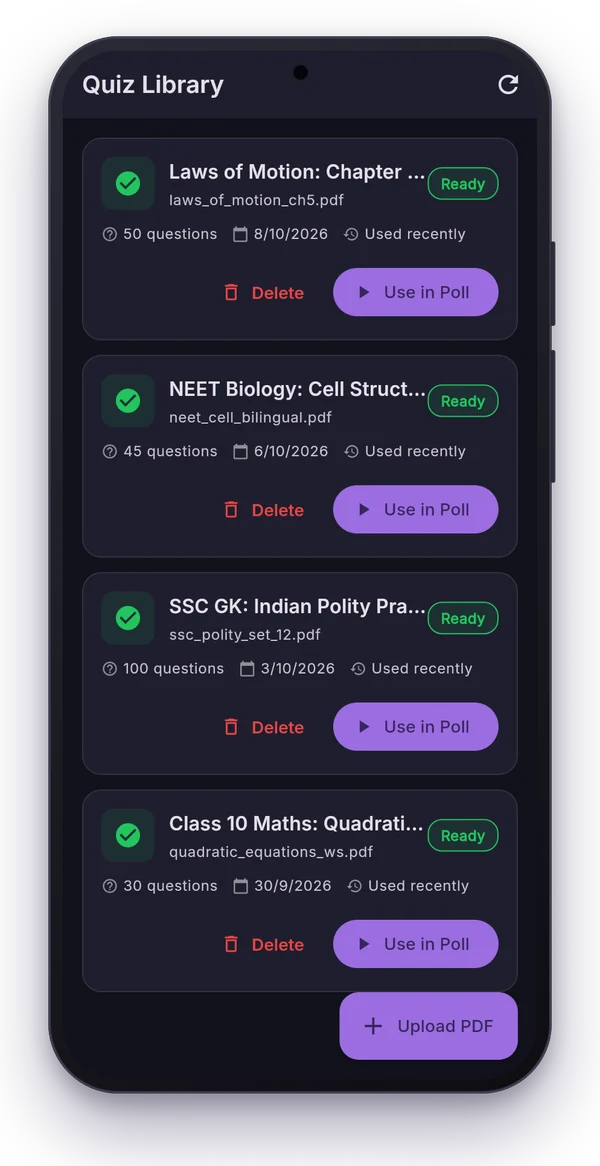
Most teachers already have the questions: last year's papers, chapter-wise question banks, coaching worksheets. The slow part is typing them into a quiz. The MCQ Library using AI in Polls Patamde skips that step: upload the PDF, and Google's Gemini AI pulls out each question with its options and correct answer.
What you can upload
- Question banks, worksheets, mock tests and previous year papers in PDF.
- Papers in Hindi, English, Tamil, or bilingual (both languages on the same page).
- Up to 200 pages per PDF. Skip the cover, index or answer pages with the page-skip setting; advertisement pages are skipped automatically.
From PDF to live quiz in four steps
- Tap MCQ Library using AI and choose your PDF.
- Set which pages to skip at the start and end.
- Let the AI read it. Each question comes back with options and the correct answer.
- Review, fix anything that looks wrong, and save it as a quiz set.
Your quiz set is now ready for YouTube Live polls, the Auto Poll Sender, or a Fastest Finger First round.
Tips for clean results
- Use text PDFs when you have them. Exported PDFs read better than phone photos of printed pages.
- One paper per upload. Mixed documents with notes and questions make review slower.
- Keep options short for polls: YouTube allows 2 to 4 options of up to 35 characters each. Long statement-type options work better in Fastest Finger First, where students only type the letter.
- Always review before class. Treat the AI as a fast assistant, not a final proofreader.
How much can I process?
| Plan | PDFs / month | Questions per PDF | Max file size |
|---|---|---|---|
| Free trial (7 days) | 5 | 20 | 5 MB |
| Basic | 30 | 50 | 10 MB |
| Pro | 100 | 100 | 25 MB |
| Max Pro | 200 | 200 | 35 MB |
| Unlimited | Unlimited | Unlimited | 50 MB |
See all plan details on the pricing section.
Need slides as well?
Pair your quiz with a presentation from patamde.net, our free-forever automated PPT maker. Read how teachers use it.
Frequently asked questions
Which languages does the PDF extraction support?
Hindi, English, Tamil and bilingual papers, including questions printed in two languages side by side.
How big can the PDF be?
Up to 200 pages. The maximum file size and how many PDFs you can process each month depend on your plan, from 5 MB on the free trial to 50 MB on Unlimited.
Do I have to check the questions?
Yes, always review them. AI is very good at reading question papers but scans with poor print quality can cause mistakes, so check options and answers before class.